


How to Make the Most of Lightroom Presets | Tips for Better Photo Editing
Lightroom presets can be a bit misunderstood. Some photographers absolutely love them, some dismiss them as a shortcut, and others download a preset pack, try it once, then never really use it again. In my opinion, all of those approaches miss the point slightly.
Lightroom presets can be a bit misunderstood.
Some photographers absolutely love them, some dismiss them as a shortcut, and others download a preset pack, try it once, then never really use it again. In my opinion, all of those approaches miss the point slightly.


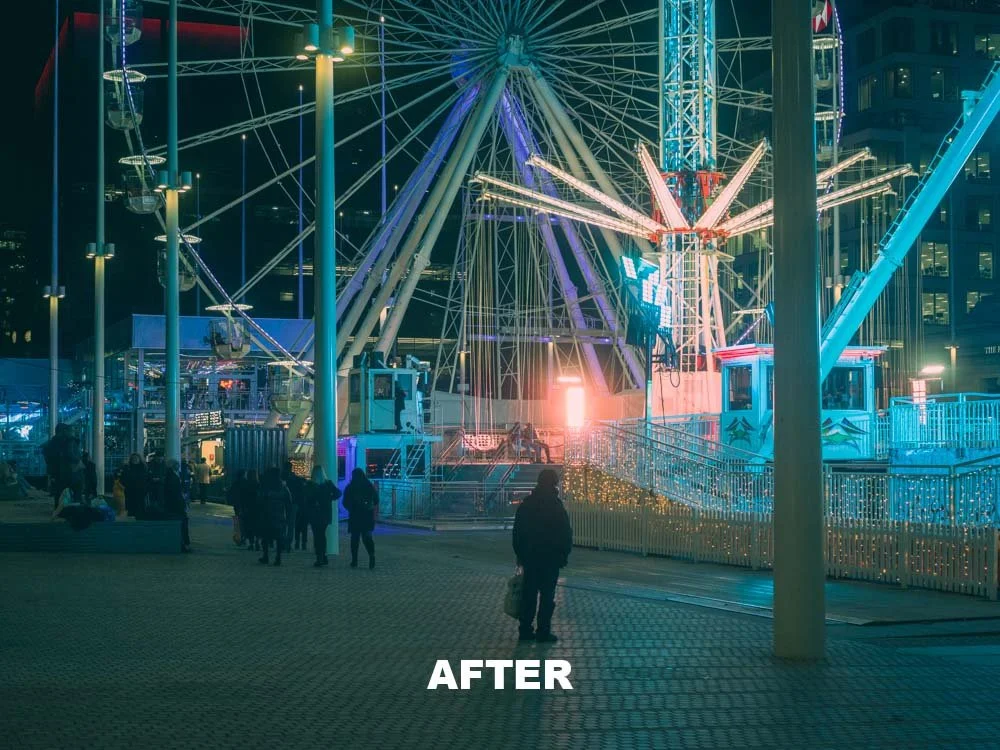
Edited with my Midnight Cinematic preset
Used properly, Lightroom presets can be a genuinely useful part of your editing workflow. They can save you time, help you create a more consistent style across your images and even teach you a lot about editing along the way. They are not magic, and they certainly will not turn a poor photo into a great one, but they can make strong images look even better and make the editing process far more efficient.
❤️ PLEASE NOTE - If you would like to support the blog, please consider making a small donation.
Whether you are new to Lightroom or have been editing for years, it is well worth understanding how to use presets properly. In this post, I want to look at how to get the best out of Lightroom presets, where people often go wrong with them and why a good preset pack can be such a useful tool for both beginner and experienced photographers.
What is a Lightroom preset?
At its simplest, a Lightroom preset is a saved group of editing settings.
So rather than manually adjusting exposure, contrast, highlights, shadows, colour, sharpening and tone every single time, a preset lets you apply a look or starting point instantly.
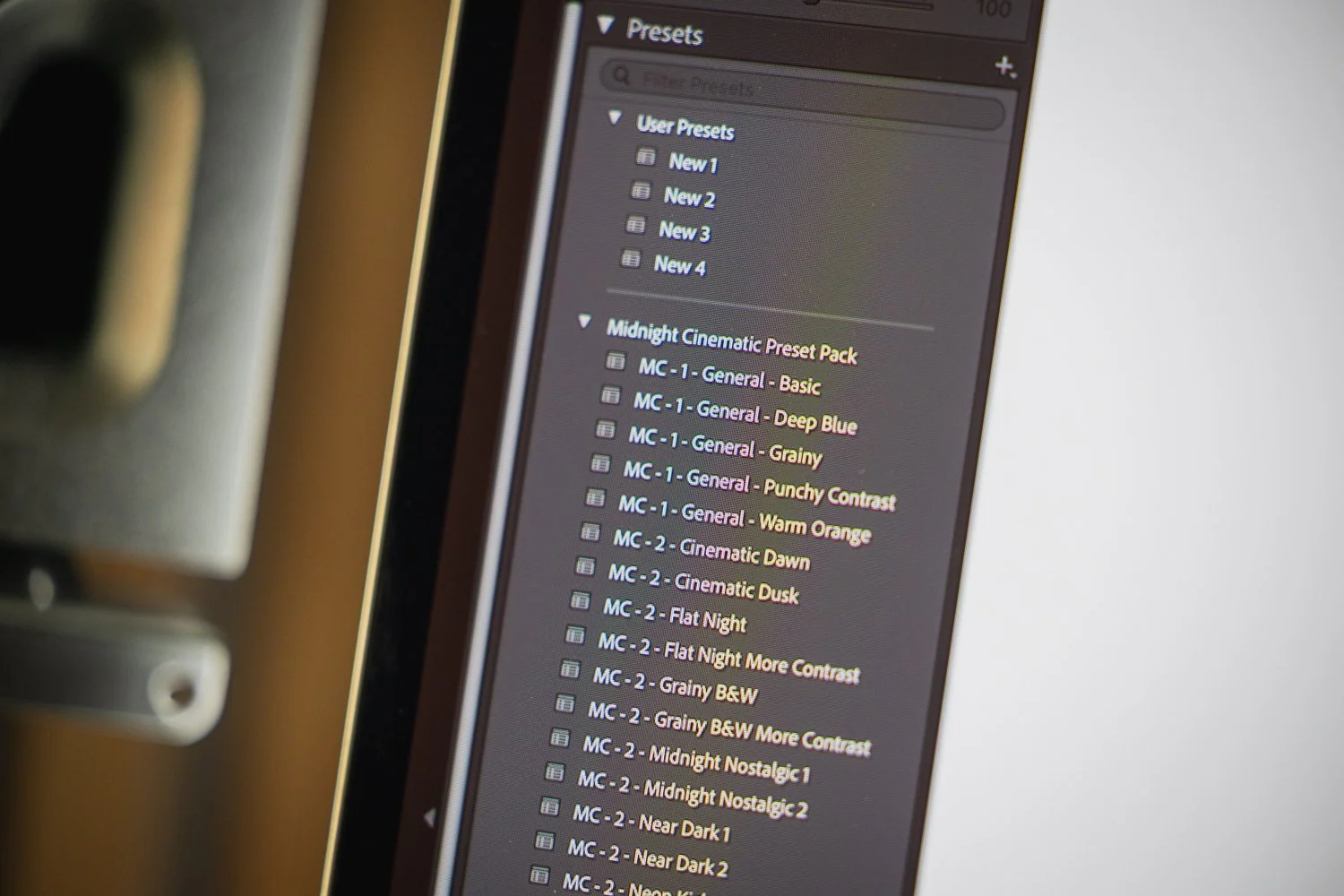
That is the key thing here though: a preset is a starting point.
It is not there to do all of the work for you. A preset helps you get closer to the final look more quickly, but most images will still need a few tweaks afterwards. The light will be different, the colours in the scene will be different and your camera settings will be different too.
That is why the best way to use Lightroom presets is as part of your workflow, not as a one-click fix.
Why Lightroom presets are so useful
The biggest benefit is speed.
If you are editing a full set of photos from a portrait session, an event, a trip or even just a day out shooting, it can take a long time to start every image from scratch. Presets can massively reduce that editing time by giving you a solid base to work from.
They are also very useful for consistency.
If you want your Instagram feed, portfolio, blog or client galleries to feel cohesive, presets can help create that visual consistency. Not every image needs to look exactly the same, but it does help when your work feels like it belongs together.

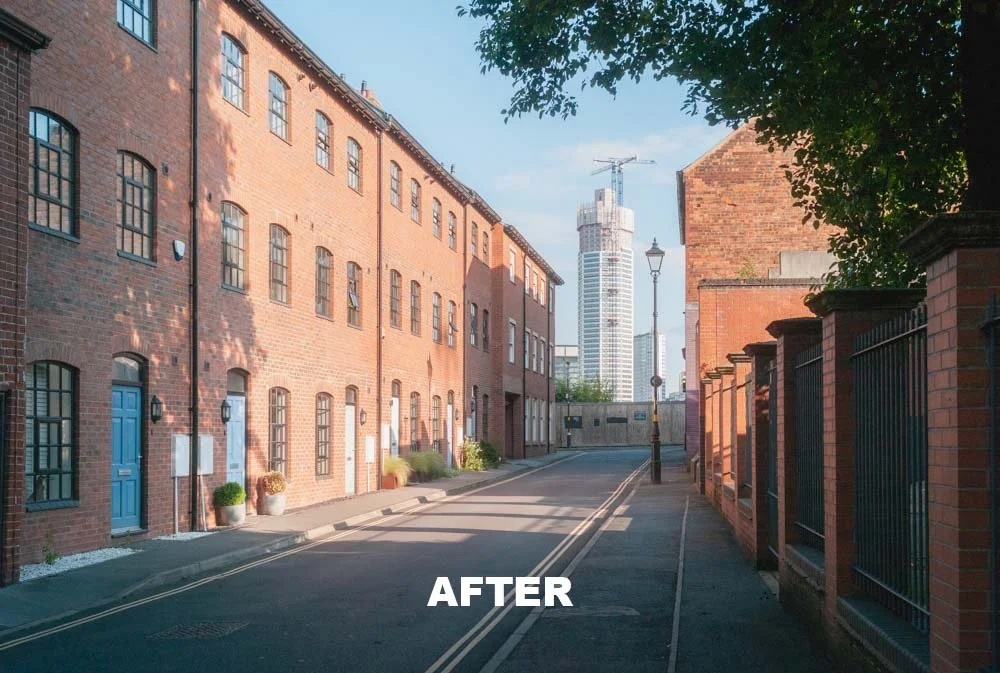
Edited with my Modern Nostalgia preset
Another big benefit is that presets can help you learn.
This is especially useful if you are still getting comfortable with Lightroom. When you apply a preset and then look through the settings, you can start to understand what has actually changed. You begin to notice how contrast is being shaped, how colour is being handled and how different tones affect the mood of the image.
So while presets are often seen as a shortcut, they can actually be one of the most useful ways to improve your editing knowledge.
The biggest mistake people make with presets
The most common mistake is expecting a preset to rescue a weak photo.
A preset will not fix bad composition. It will not correct missed focus. It will not suddenly turn poor light into beautiful light. If the image is not very strong in the first place, the preset can only do so much.
That is why presets work best when they are applied to solid images with good exposure, decent light and a strong starting point.

The second big mistake is applying the same preset to every image and leaving it at that.
A preset that looks brilliant on a warm outdoor portrait might look completely wrong on an overcast urban scene. That does not mean the preset is bad. It just means it is not suited to every situation.
The photographers who get the most from presets are usually the ones who know when to use them, when to tweak them and when to choose a different one altogether.

Some tools make editing even easier, check out my TourBox review
Start with the best file possible
If you want presets to work well, it helps to give them a strong image to work with.
That means paying attention while shooting. Try to get your exposure right in camera, be mindful of your white balance and, wherever possible, shoot in RAW rather than JPEG.
RAW files give you much more flexibility in Lightroom and tend to respond far better to presets than JPEGs do. You have more room to recover highlights, lift shadows and refine colour without the file falling apart.
It sounds obvious, but it is worth saying: the better your original image is, the better your preset will look.
Use presets to create a more consistent style
One of the most valuable things about using Lightroom presets is the consistency they can bring to your work.
If you like warmer tones, softer contrast, muted greens, rich shadows or a cleaner editorial look, presets can help you apply that style more consistently across different shoots.
That matters more than people think.
A consistent edit makes your work feel more polished and intentional. It helps your website, social media and portfolio feel more cohesive. It can also make your work more recognisable, which is useful if you are trying to build a stronger visual identity as a photographer.
That does not mean every image should be edited in exactly the same way. In fact, that can make your work feel a little flat. But having a set of presets that reflect your taste can be a really good way to tie your images together.
An old video of mine but still relevant in 2026!
Don’t just apply a preset and leave it there
For me, this is where presets become genuinely useful rather than just convenient.
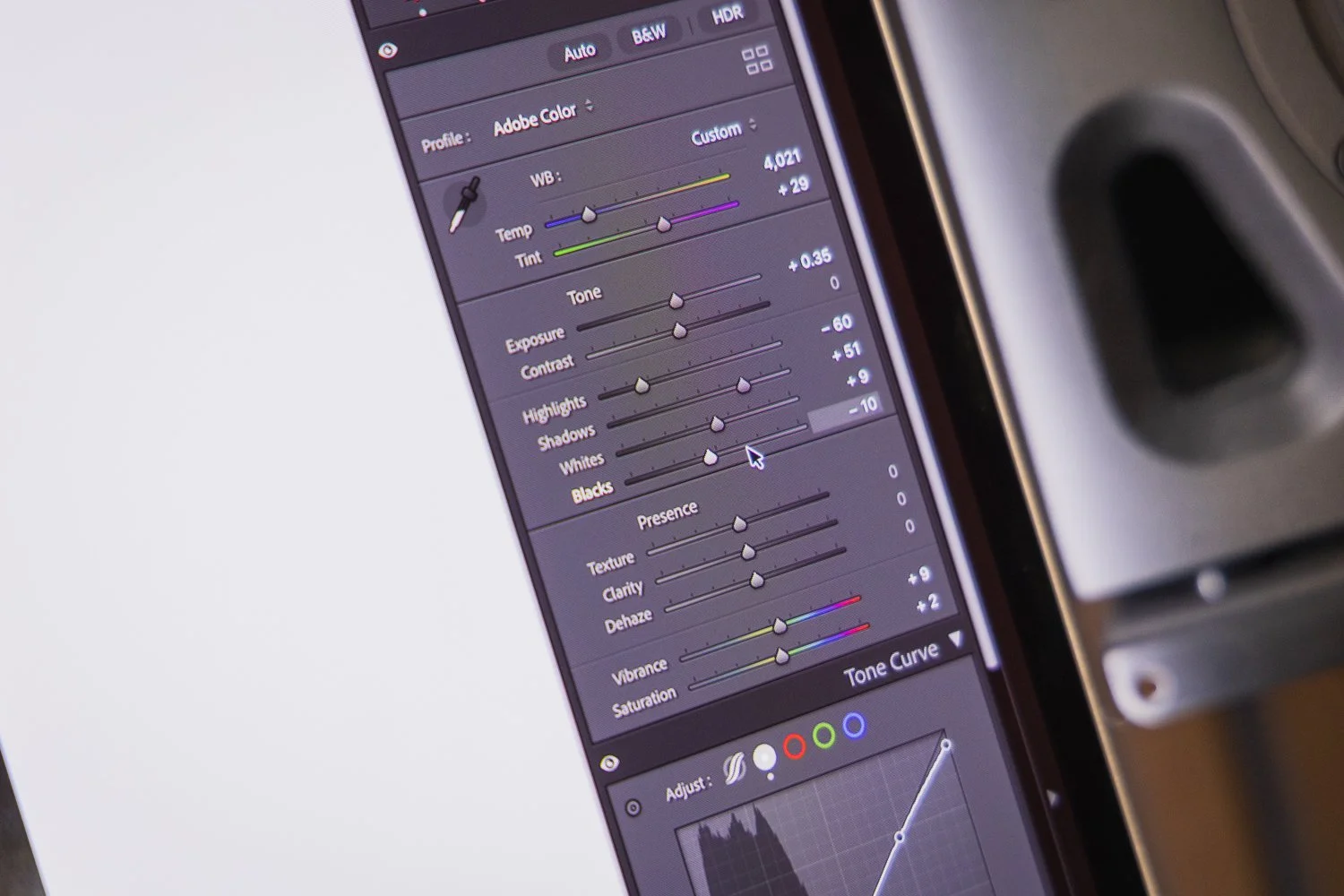
Once a preset is applied, there are usually a few adjustments worth checking straight away.
Exposure is usually the first one. White balance is often the second. These are the areas most likely to vary from image to image, regardless of how good the preset is.
After that, it is worth checking:
Highlights and shadows
Whites and blacks
Overall colour balance
Skin tones
Cropping and straightening
Any local adjustments that might improve the image further
Most of the time, these are only small tweaks. But those small tweaks are what make the image feel properly finished.
A good preset should save you time, not remove you from the editing process completely.
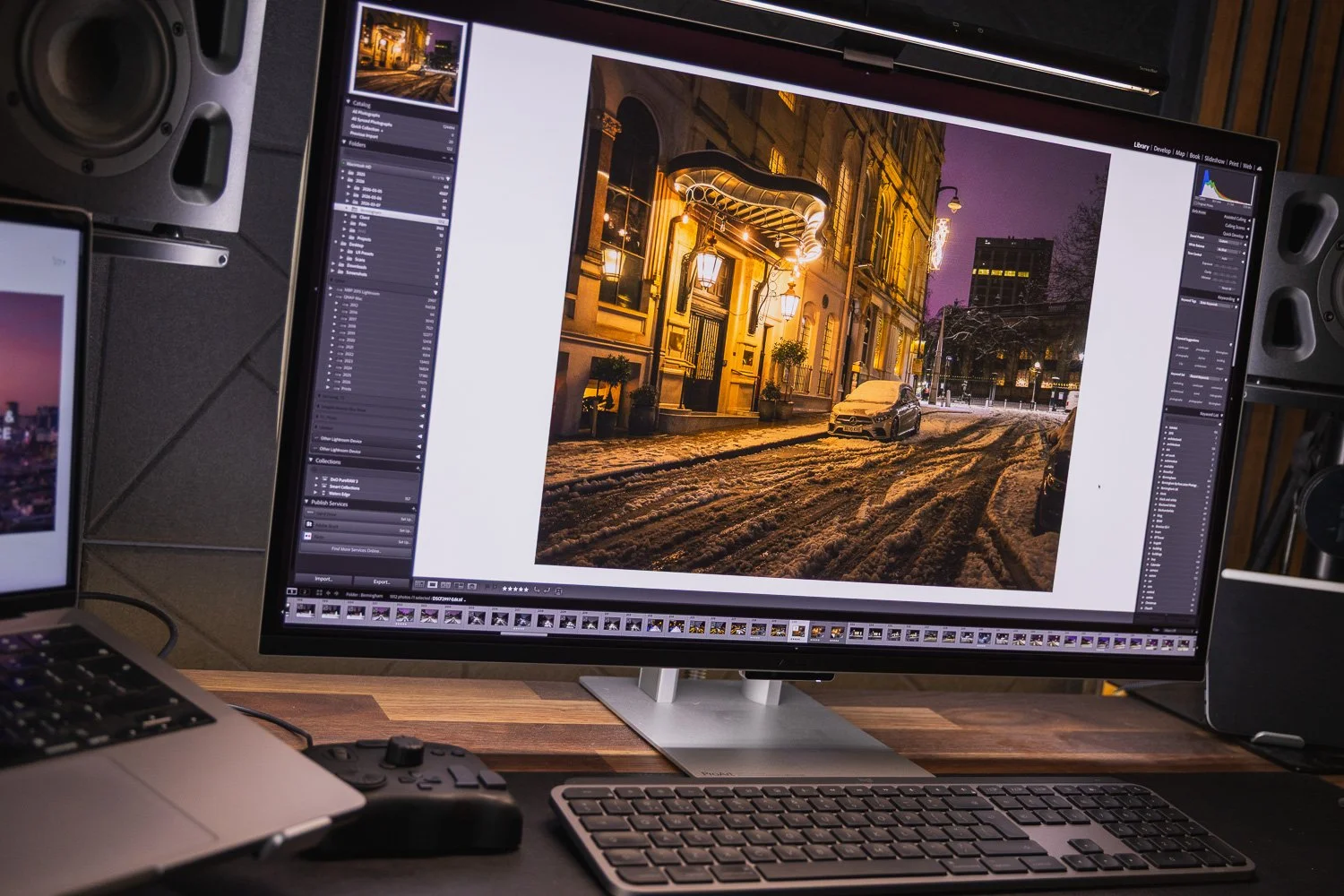
Learn which presets work best for different situations
Not every preset works for every subject or every lighting condition.
A cleaner, more natural preset might work well for portraits, family photos or commercial jobs where accurate colour matters. A moodier preset may suit street photography, travel photography or more atmospheric scenes. A punchier black and white preset might work brilliantly for one image and feel far too strong on another.
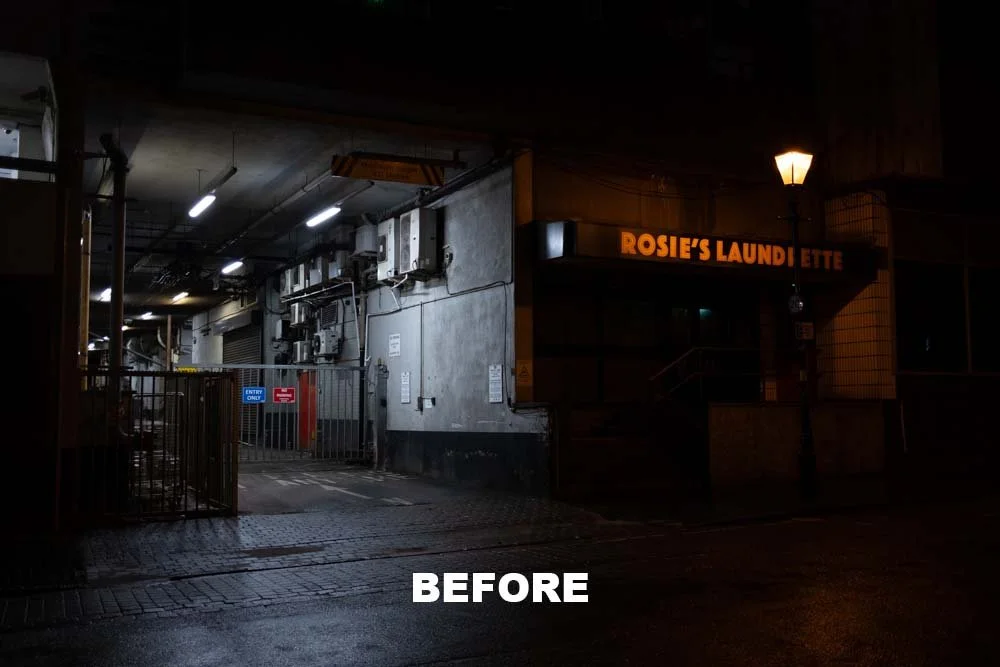

Edited with my Midnight Cinematic preset
Part of getting good with presets is learning which ones suit different types of images.
Once you start recognising that, presets stop feeling like random filters and start becoming much more useful creative tools.
Use presets to improve your workflow
One of the best ways to use presets is to make them part of a repeatable editing workflow.
A simple workflow might look like this:
Import your images
Cull the set down to your favourites
Apply a preset that suits the shoot
Adjust exposure and white balance
Sync edits across similar images
Fine-tune individual photos where needed
Export
This sort of process can save a huge amount of time, especially if you are editing larger sets of images.
It also helps reduce decision fatigue. Rather than rebuilding your edit from scratch every time, you can begin with a look you already trust and then refine from there.
Another old video from when I had more hair! But still has some useful info…
Lightroom presets can also help you learn
If you are newer to editing, this is one of the most overlooked benefits of presets.
When you find a preset you like, go through the settings panel by panel and see what it is doing. Look at the tone curve. Look at the HSL sliders. Look at the colour calibration. Notice how the shadows are being handled or how the colour temperature has shifted.
Doing that regularly can teach you a lot.
You start to understand why some images feel warm and natural while others feel cinematic or moody. You also start to recognise the sort of edits you are personally drawn to, which is useful if you eventually want to develop your own style further.
So no, presets are not cheating. In many cases, they are actually a very good way to learn how editing works.

Good peripherals can make the edit process more enjoyable, check out my MX 4 Master review
Try not to overdo it
Because presets can make dramatic changes quickly, it is easy to push an image too far.
Too much contrast, too much saturation, strange skin tones, crushed blacks or overly faded edits can all make an image feel a bit forced. In my opinion, the best preset edits still let the photo breathe.
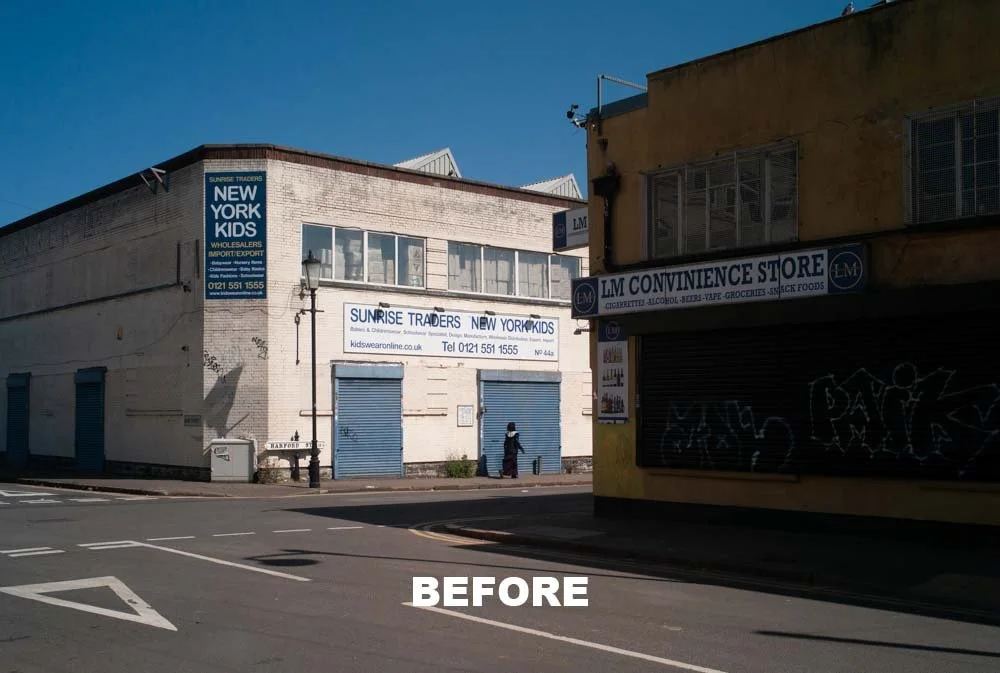
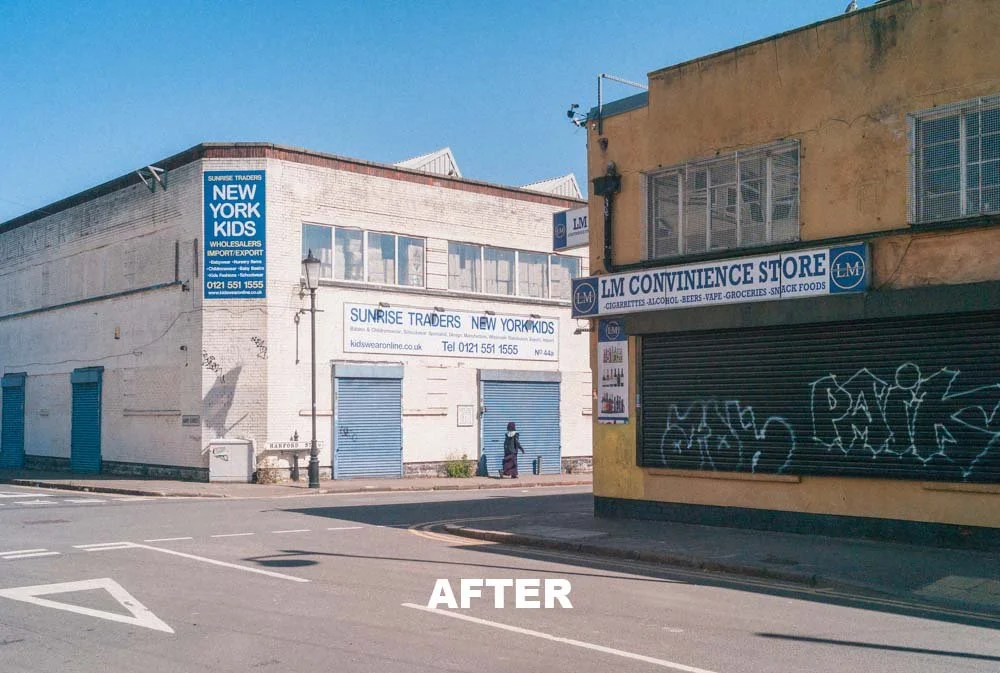
Edited with my Modern Nostalgia preset
This is particularly important with portraits. Skin tones can go wrong very quickly, and once they do, the whole image feels off. Always take a close look at faces after applying a preset, even if the rest of the image looks great.
Generally speaking, subtle editing tends to age better than heavy-handed editing.
Build a smaller set of favourites
A lot of photographers end up collecting too many presets.
They download huge packs, use two or three favourites regularly and ignore the rest. There is nothing wrong with variety, but in practical terms, you are usually better off having a smaller set of presets that you know really well.
For example, you might have:
one preset for bright outdoor work
one for moodier images
one for black and white
one for a cleaner, more natural finish
That is often far more useful than scrolling through dozens of options every time you edit.
The more familiar you become with your go-to presets, the faster and more effective your editing will be.

It’s useful to build an environment you ‘want’ to edit in - check out my desk setup for 2026
Why presets are useful for both beginners and experienced photographers
Beginners often benefit from presets because they make Lightroom feel less overwhelming.
Instead of starting with every slider at zero and not knowing where to begin, presets provide a useful starting point and help you see what is possible.
More experienced photographers often benefit for a different reason: efficiency.
Once you know the kind of look you like, presets can help you apply that style quickly and consistently. That means less time repeating the same technical adjustments and more time focusing on the images themselves.
That is why presets are not just for beginners. They can be a very practical tool for photographers at every level.

Final thoughts
Lightroom presets are not a gimmick, and they are not a replacement for good photography.
They are simply a tool, and like any tool, they are only as useful as the way you use them.
Used properly, presets can help you edit more quickly, keep your work consistent, understand editing more clearly and build a stronger visual style across your photography. Used badly, they can lead to lazy edits and unrealistic expectations.
For me, the best way to think about presets is this: they should support your photography, not dominate it.


Edited with my Midnight Cinematic preset
Start with strong images. Choose presets that suit the scene. Make a few adjustments afterwards. Learn why they work. And do not be afraid to settle on a smaller number of presets that genuinely fit the way you like your work to look.
If you do that, presets can become a really useful part of your editing process rather than just another thing sitting unused in Lightroom.
And if you are currently experimenting with your own editing style or want to speed up your workflow without losing control over the final result, it is well worth trying a well-built preset pack. If you would like to see the sort of looks I personally use and prefer, you can also take a look at my Lightroom Presets.

🔴 FAQs
-
Yes, I think Lightroom presets are absolutely worth it if you want to speed up your editing and create a more consistent look across your images. A good preset pack gives you a strong starting point, saves time and can also help you understand how different edits are built. The key is using presets properly rather than expecting them to do all of the work for you.
-
Yes, plenty of professional photographers use Lightroom presets. They are not just for beginners. In fact, presets can be even more useful when you are editing large numbers of images and want to keep your work looking consistent. Most professionals will still fine-tune each image afterwards, but presets can make the whole editing process much more efficient.
-
Not really. They are often compared to filters, but Lightroom presets are more flexible than that. A preset applies a saved group of editing adjustments, but you can still go in and change the exposure, white balance, colours, contrast and everything else afterwards. So rather than being a fixed effect, they are better thought of as a starting point for your edit.
-
No, not perfectly. That is one of the biggest misconceptions around presets. A preset can work brilliantly on one image and need tweaking on another. Different lighting conditions, colours, camera settings and subjects all affect the final result. That is why it is important to treat presets as part of your workflow rather than a one-click solution.
-
Usually, it comes down to the original image. If a photo is underexposed, badly lit, poorly composed or shot in JPEG rather than RAW, a preset may not look as good as expected. It can also happen when the preset simply does not suit that particular scene. In most cases, adjusting the exposure and white balance after applying the preset makes a big difference.
-
Yes, I would recommend shooting RAW wherever possible. RAW files contain much more image data than JPEGs, which gives you more flexibility when editing. That means presets usually work better on RAW files because there is more room to adjust highlights, shadows and colour without damaging the image quality.
-
Yes, definitely. Presets can actually be a really useful learning tool. If you apply a preset and then look through all of the settings it has changed, you start to see how tone, contrast, colour and detail are being handled. Over time, that can help you understand Lightroom much better and build confidence in your own editing decisions.
-
Probably fewer than you think. A lot of photographers end up with far too many presets and only use a small handful regularly. In most cases, it is better to have a smaller collection of presets that you know really well. A few reliable options for different types of images is usually far more useful than a huge preset library you barely touch.
-
You can, but I would not recommend doing that without making adjustments. Even if you like a consistent style, every image is different. Lighting, colour and subject matter change from photo to photo, so it is usually better to apply a preset and then make a few small tweaks to suit the image properly.
-
The first things I would normally check are exposure and white balance. After that, it is worth looking at highlights, shadows, blacks, whites and overall colour balance. If there are people in the shot, skin tones should always get a quick check as well. Cropping and straightening can also make a big difference to the finished result.
-
Yes, that is one of their biggest advantages. If you want your portfolio, Instagram feed or client galleries to feel more cohesive, presets can help you apply a more consistent look across your images. They will not create your style for you, but they can make it much easier to repeat and refine the look you already like.
-
Not always, but good premium presets are often more carefully designed and more reliable across a wider range of images. Free presets can be useful for experimenting, but they are sometimes a bit extreme or less refined. A well-built premium preset pack is usually more balanced, more practical and easier to adapt to your own images.
-
Yes, absolutely. Experienced photographers often benefit from presets because they already know the sort of style they want and can use presets to speed up the editing process. Rather than starting from scratch every time, they can begin with a look that suits their work and then make any finishing adjustments from there.
-
Yes, many Lightroom presets can be used in Lightroom Mobile as well as the desktop version, depending on the format. That can be really useful if you like editing on the go or want to keep a consistent look across images edited on different devices.
-
There are lots of Lightroom preset packs available online, but it is worth choosing ones that are designed with real-world use in mind rather than overly heavy effects. If you want to explore a few options, you can also browse my own Lightroom presets to see if there is a style that suits the way you like to shoot and edit.
📸 Are you a photography/videography brand looking to showcase your products? Take a look at my Media Pack and Contact Me to discuss how we can collaborate on a sponsored review.
Posts you might also like…

About the Author - Ross Jukes is a professional Photographer and Videographer with over a decade of experience. Working in both Digital and Analogue formats, Ross has worked with international clients, had his worked published numerous times and exhibited his work extensively. With a passion for all things photographic, Ross combines his experience, enthusiasm and dedication to his art form to create engaging and educational content for the photographic community.
Disclaimer: All links to Amazon UK/US are affiliated links - you will still pay the same price but I will receive a small commission. All information provided in this blog is intended either for educational or entertainment purposes and is accurate to the best knowledge of the author. However, further research/professional advice should be sort before making purchases/implementing any advice given and no responsibility is taken by the author or parties mentioned here within.
After nearly two months of regular use, the Bright Tangerine Titan Arm 2 Ti has become far more useful than I expected. I tested it for monitor mounting, lighting, teleprompter setups and general rigging — and while it is significantly more expensive than a typical magic arm, there is a very obvious difference in quality.